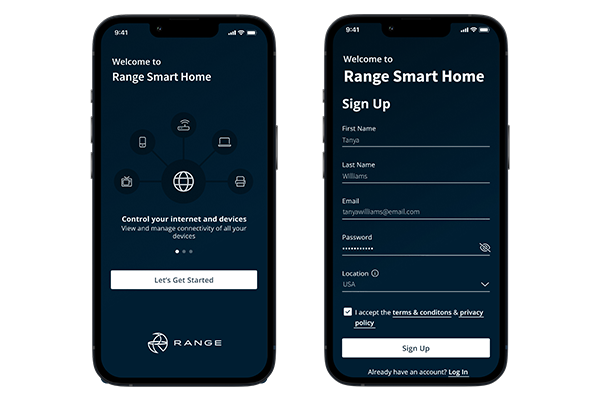
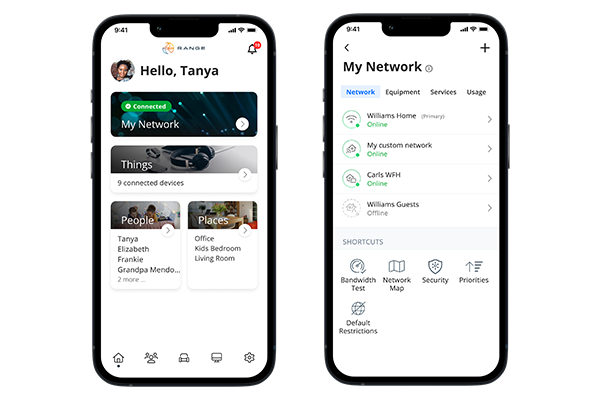
Range’s Smart Home App gives you an easy, instant snapshot of your home or small business network. You can view all the connected devices on your network through the app, set up parental controls or a guest network, run speed tests, change your password, and more.
Range Smart Home App is FREE to all internet customers that have our Range provided Gigaspire routers. Take control of your home network and enjoy all the available features. Head to the Google Play Store or App Store below and download now!
One app to rule them all!
Take complete control of your home with the Range Smart Home App and get a Wi-Fi experience tailored and customized to your network. Now available on Apple and Android devices.
Designed for YOU
Get the assistance you’re looking for with an in-app dashboard that’s designed to help you easily identify and communicate service issues, so you get the assistance you need to get back control of your Wi-Fi.
Controls You’ll Love
Be able to easily manage everything from parental controls to bandwidth performance to guest networks and network security. It’s the command center you’ll love and the one your kids won’t.
In the Know
Get peace of mind with total visibility across your entire network. With the Range Smart Home app, you’ve got access to every device and connection throughout your home from a single dashboard on your mobile device.
Know Where You Stand
Optimize your experience by running bandwidth tests to monitor network performance..
Create A Home WiFi Experience For Everyone
With custom profiles you can organize devices to individuals and control access and content, create offline schedules and easily pause the internet.
Set and Save Your Settings
From guest networks to offline schedules and more, save the perfect rules for harmony and good habits in the home.
Visualize Your WiFi, Run A Bandwidth Test and Get Tips
Make your home connectivity more manageable with easy-to-understand visualizations and simple tools.
Create People Profiles
Use profile to assign devices specific to family members.
How To Set Up the Range Smart Home App
Range Smart Home App is a simplified way to control and view every aspect of your smart home network. From setting up parental controls to creating guest networks, and running speed tests, you are in charge. View our video below to get started.
